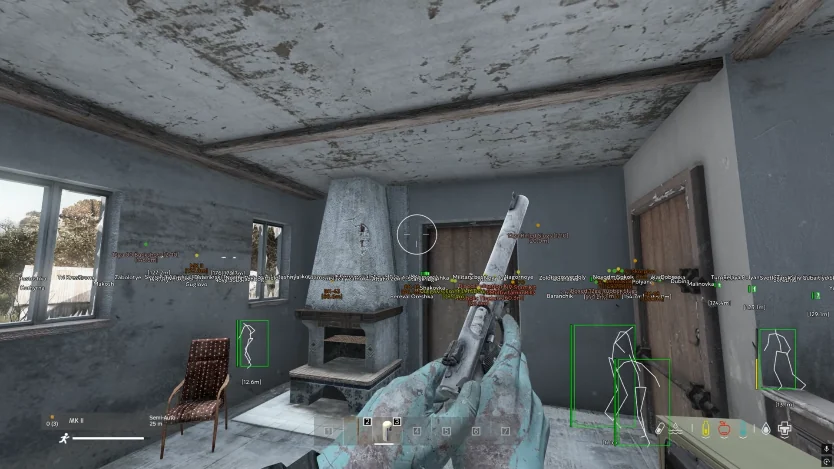
DayZ Cheats — DayZ cheats hero banner on Windows PC

Cloud DMA setup

What is Cloud DMA setup, and do I need a second PC and a card?

Setup

loot_andy OP
Cloud DMA setup for DayZ on Windows PC

I keep seeing Cloud DMA setup is required but I do not fully get what it is. Do I need a second PC and a DMA card, or is this different?

On my first launch the menu was half greyed out and I panicked. The Setup page has steps but I want a plain-English version.

7 Replies

  1. hospital_stairs

    No second PC. Cloud DMA is the hosted path. You still turn HVCI, TPM, and Secure Boot on locally. I was confused for a week because I thought I needed a card.

  2. zombie_count

    Grey menu on first launch was HVCI for me. Core Isolation off in Windows, I flipped it on, rebooted, menu populated.

  3. dayzcheat_staff Staff

    Cloud DMA means you do not buy hardware. You do follow Setup: HVCI / Core Isolation, TPM, Secure Boot on, then loader, then DayZ. A grey menu is almost always one of those three off, not a broken key.

  4. loot_andy OP

    So I am not missing a DMA card. I probably skipped BIOS. I will go through Setup in order tonight.

  5. hospital_stairs

    Do it in order. I skipped Secure Boot, thought the key was fake, wasted a Support ticket. It was BIOS.

  6. dayzcheat_staff Staff ✓ Solution

    No extra PC. Turn those three on, reboot, then launch in order. If the menu is still grey after that, screenshot it and send it to Support - do not keep reinstalling the loader.

  7. loot_andy OP

    HVCI was off. Turned it on, rebooted, menu is full. Cloud DMA setup makes more sense now. Thanks.

This thread is closed. Replies were disabled after the discussion wrapped up. For account or license questions, contact Support.

Related threads